Navigation GPWS
The A320 family is equipped with a Ground Proximity Warning System (GPWS).
Its purpose is to enhance safety by alerting the crew to potentially hazardous situations involving terrain collision or incorrect landing configuration, that may occur below 2 450 ft RA.
Depending on the version, it can be:
- With only basic functions, or
- With in addition an enhance function based on a worldwide terrain database, or
- Associated to the Terrain and Traffic Collision Avoidance System (T2CAS).
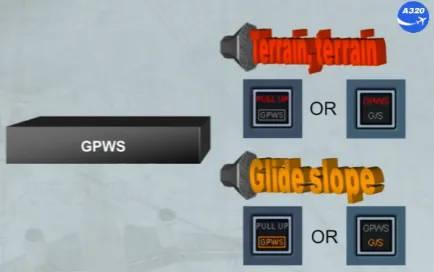
The GPWS monitors the aircraft flight path and generates the appropriate visual and audio warnings or cautions when the aircraft is in one of the defined hazardous situations.
Note : All GPWS audio will be overridden by stall warning or by windshear warning.
Depending on the version installed on the aircraft, the visual warning and caution may differ, so refer to your documentation.
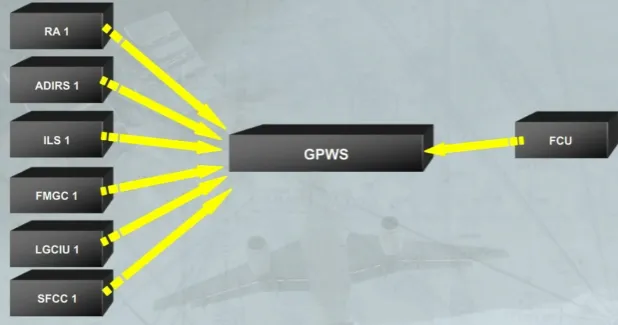
The GPWS processes the data from:
- RA 1
- ADIRS 1
- ILS 1
- FMGC 1
- LGCIU 1
- SFCC 1.
An additional FCU input will depend on the enhanced function, if it is installed.
The altitude used by the GPWS is computed based on barometric altitude. But according to the version installed, it is also based on the radio altitude and GPS altitude, in order to reduce baro settings errors.
On the enhance GPWS version, the altitude may be a geometric altitude calculated from the pressure altitude, GPS altitude, radio altitude and data from the terrain database.
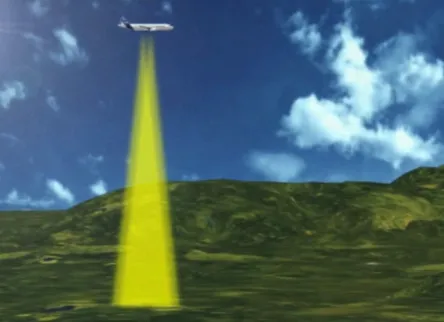
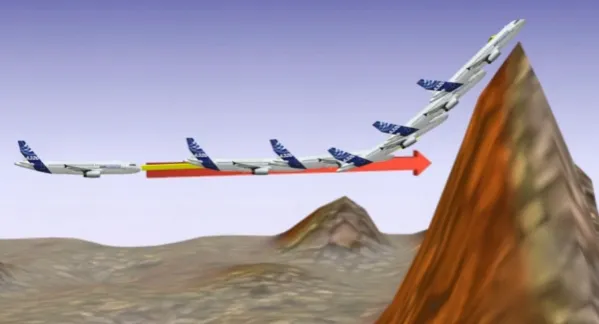
Therefore, on the basic GPWS version, impact with a near vertical cliff face can not be predicted. So, GPWS does not stop the crew from monitoring aircraft position and altitude!
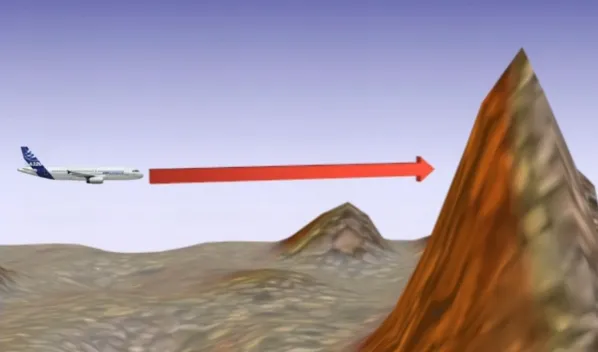
But depending on the version, a predictive function may be installed. This function correlates the current aircraft position to the terrain and airport database. So it computes a caution and a warning envelope ahead of the aircraft and it determines a climb prediction envelope for terrain avoidance using a climb capability model of the aircraft.
The GPWS control panel is located on the left side of the overhead panel. GPWS control panel can be as shown or can be with an additional TERR pb-sw depending on the version installed.
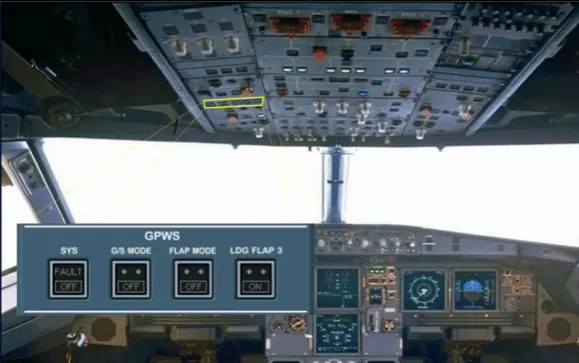
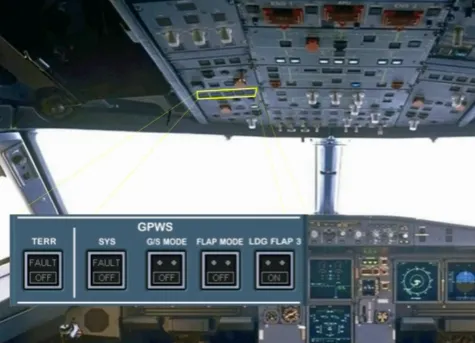
The related installed GPWS visual warnings are located on the miscellaneous panels. So, refer to your documentation for the installed pb.
This pb allows to test the GPWS, on ground only. But it can be briefly pressed to stop the GLIDE SLOPE aural warnings.
In addition, two loudspeakers located on each lower side of the main panel broadcast GPWS aural warnings even if they are turned off.
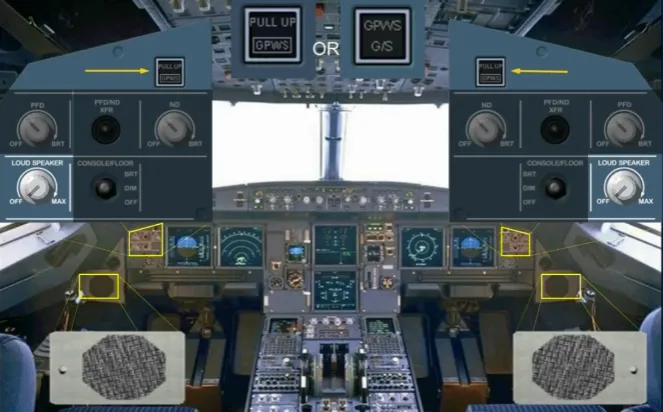
The installed GPWS alerts the crew of potentially hazardous situations when one of the following conditions occurs during flight at low heights:
- MODE 1: Excessive rate of descent
- MODE 2: Excessive terrain closure rate
- MODE 3: Altitude loss after takeoff or go-around
- MODE 4: Unsafe terrain clearance when not in landing configuration
- MODE 5: Too far below glideslope.
Crew should react immediately to any GPWS warning without attempting to assess its validity.
Let’s study these visual and aural warnings.
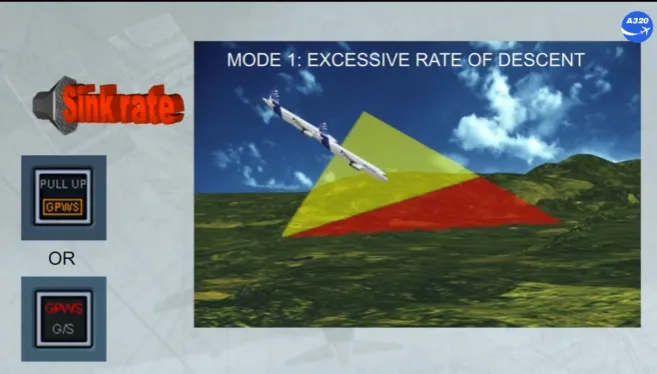
The mode 1 has two boundaries. Penetration of the first boundary generates a repeated aural alert “SINK RATE” and causes the installed visual alert to come on.
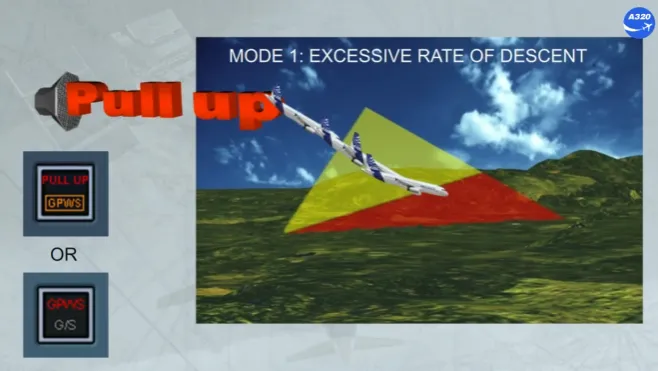
Penetration of the second boundary generates a repetitive aural alert “PULL UP” and causes the installed visual alert to come on.
If rising ground is detected as a potential threat to the safety of the aircraft:
- When FLAPS are not in landing configuration, and penetration of the boundary generates a repeated twice aural-alert “TERRAIN” and followed by “PULL UP” and causes the installed visual alert to come on
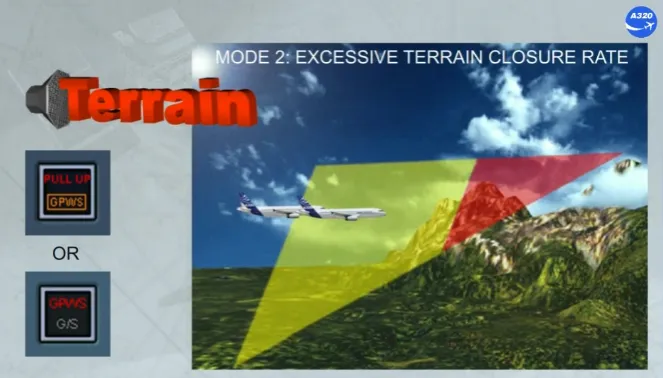
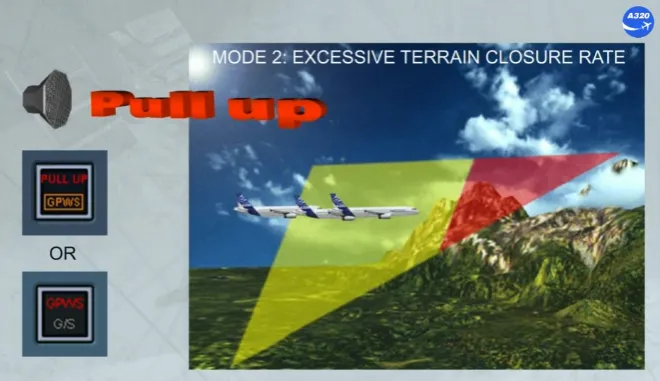
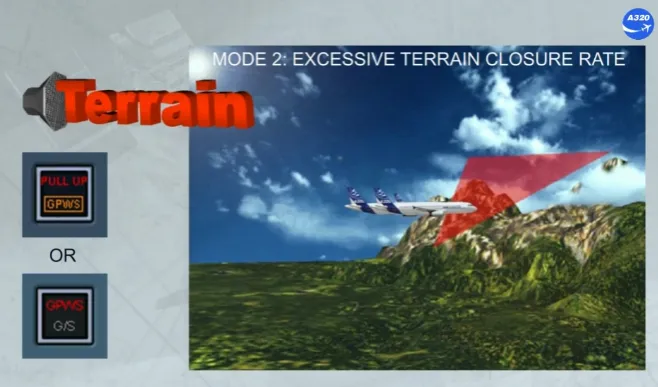
- When FLAPS are in landing configuration, the boundary limit is lowered and penetration of this envelope generates aural-alert like on the previous slide.
But if the aircraft remains in this envelope, the aural alert is “TERRAIN” only.
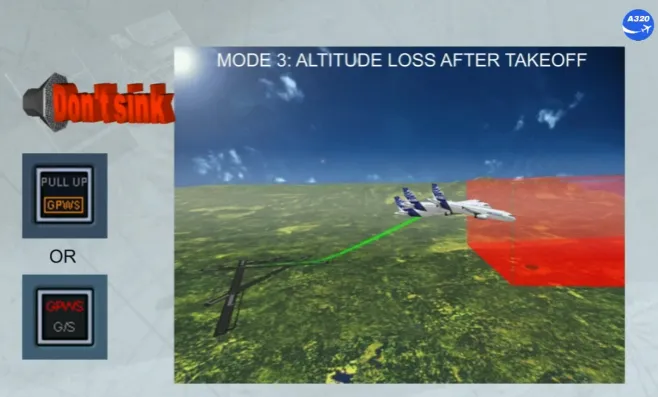
If the aircraft descends during the initial takeoff climb or during a go-around, and penetrates the alert envelope, it generates a repeated aural alert “DON’T SINK” and causes the installed visual alert to come on.
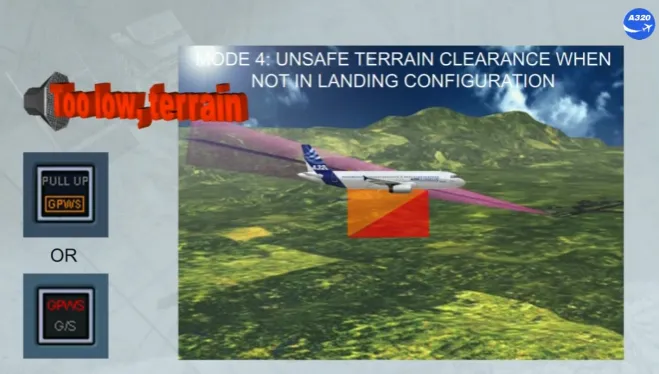
At low heights and depending on the speed, two boundaries are defined. When the first boundary is penetrated with the landing gear and/or FLAPS not in landing configuration, it generates an aural alert “TOO LOW TERRAIN”.
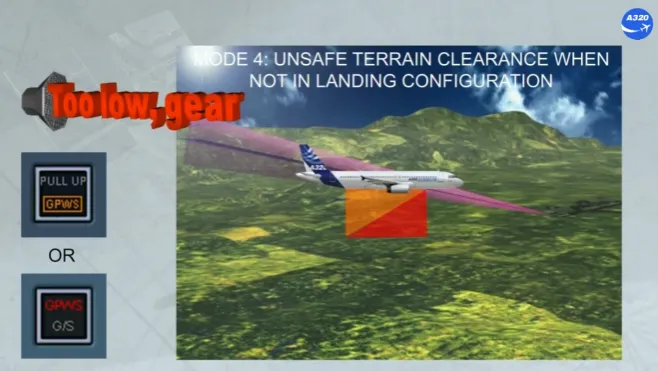
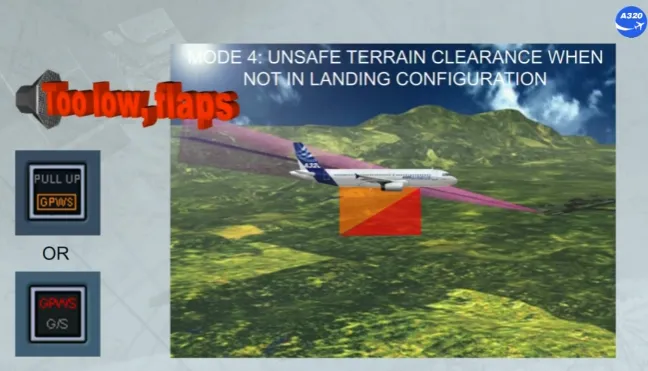
When it penetrates the second boundary, at very low speed and at very low height, it generates a “TOO LOW GEAR” if only landing gear is not down or a “TOO LOW FLAPS” if only FLAPS are not in landing configuration.
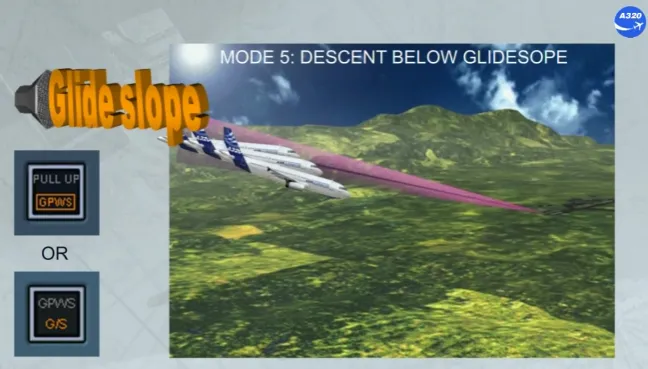
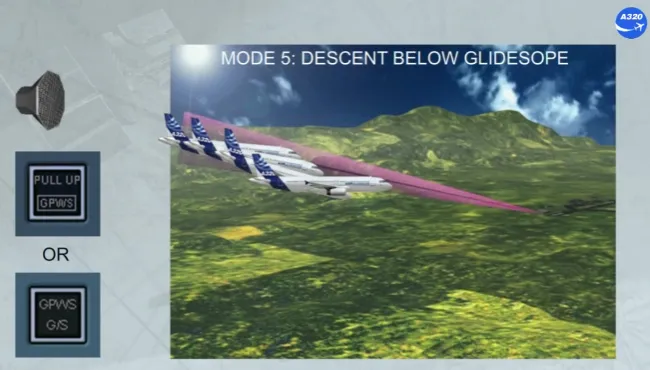
With an ILS valid signal received and at low height, if the aircraft deviates from the glide path, it generates a repeated aural alert “GLIDE SLOPE” and the installed visual alert comes on.
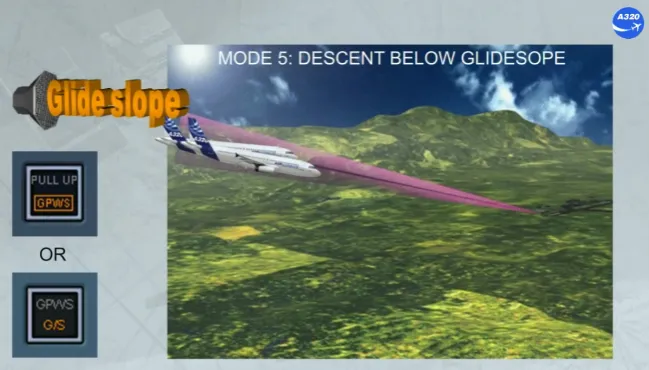
If the deviation is excessive at very low height the aural alert loudness is increased.
Pushing the installed visual alert pb cancels temporarily the warnings.
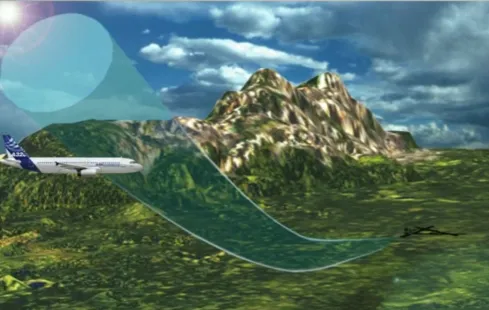
Note that some airports around the world have approaches and departures which are not compatible with standard GPWS operation.
These airports are programmed into the GPWS database and the warning thresholds are modified to avoid nuisance warnings.
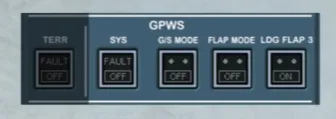
The GPWS panel allows the crew to inhibit some warnings.
Flap 3 is a recognised landing configuration.
For landing, if the CONF 3 is used or required by an ECAM procedure, the crew should set the LDG FLAP 3 pb-sw to ON, to ensure that the GPWS, does not generate warnings, when it detects that the aircraft is not in the full flap configuration.
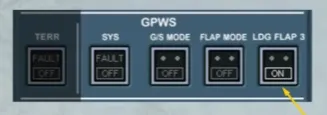
Also, on the EWD the LDG MEMO will change, as shown.
Note: A right MEMO “GPWS FLAP 3” wll be displayed, only if the version of the installed GPWS is not associated to the Terrain and Traffic Colision Avoidance System (T2CAS)。
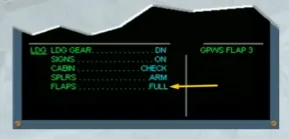
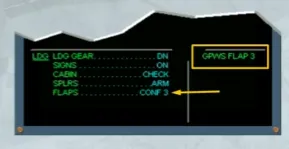
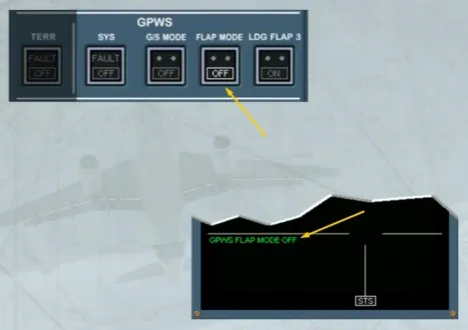
Following some failures, a landing may be performed with a reduced flap setting. The FLAP MODE pb-sw has to be set to OFF, to avoid the TOO LOW FLAPS aural alert of the mode 4 to be triggered.
Note: As a reminder on the EWD the GPWS FLAP MODE OFF is displayed on the left MEMO.
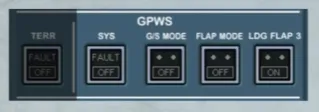
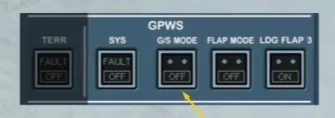
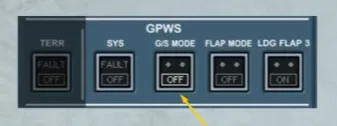
Following some failures and to avoid the GLIDE SLOPE aural alert of the mode 5 to be triggered, the G/S MODE pb-sw has to be set to OFF.
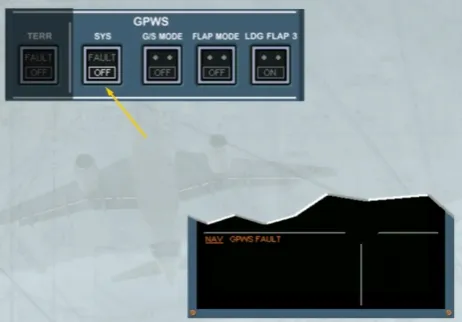
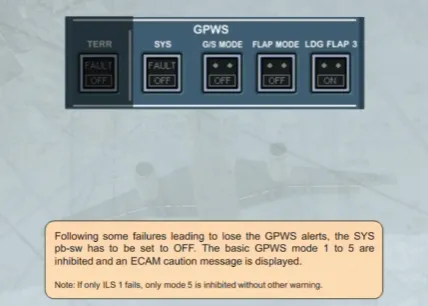
Following some failures leading to lose the GPWS alerts, the SYS pb-sw has to be set to OFF. The basic GPWS mode 1 to 5 are inhibited and an ECAM caution message is displayed.
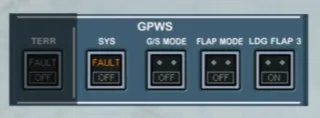
Note: If only ILS 1 fails, only mode 5 is inhibited without other warning.
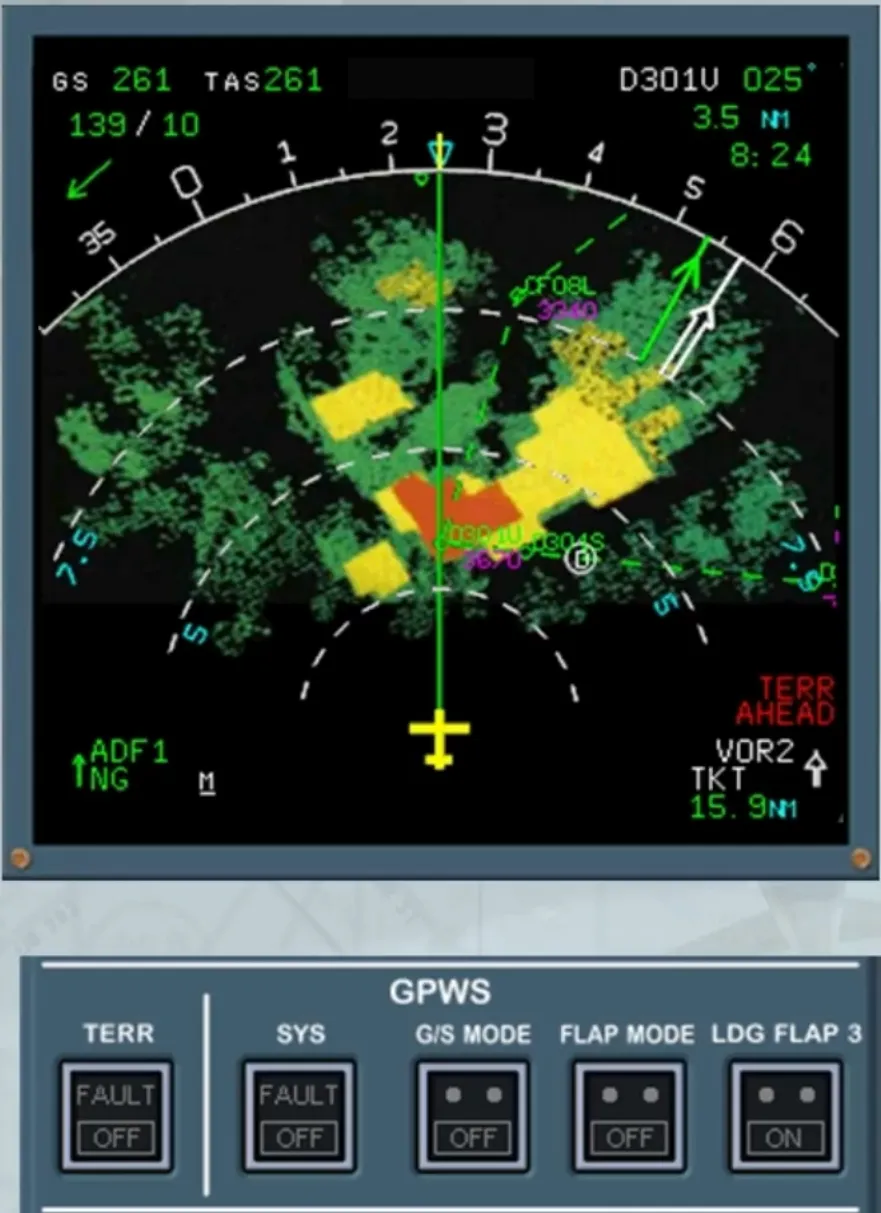
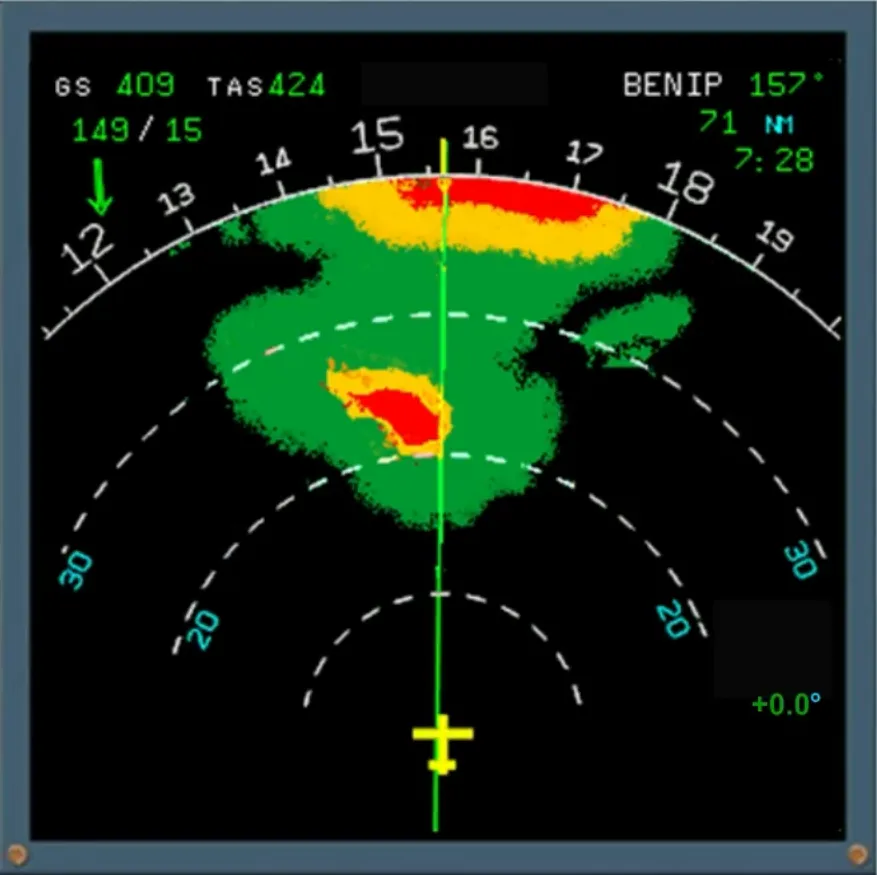
According to the installed version, the GPWS can be linked to a system which correlates the current position to terrain and airport database and not on radar returns. It allows the crew enough time to perform an avoidance maneuver.
On the ND, the weather radar image is replaced by the terrain picture if it is selected ON and the ND is not in PLAN mode. To avoid any confusion, when the terrain picture is displayed a blue TERR indication replaces the weather radar tilt angle indication.
Note: The terrain display sweeps from the center outward to both ND sides.
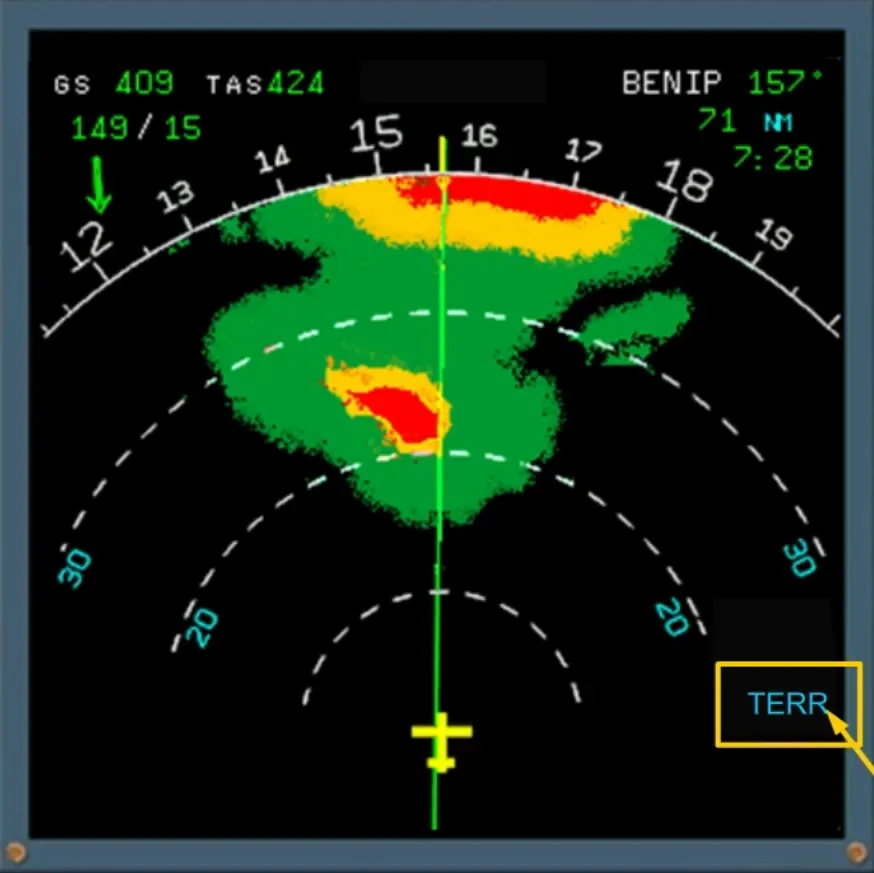
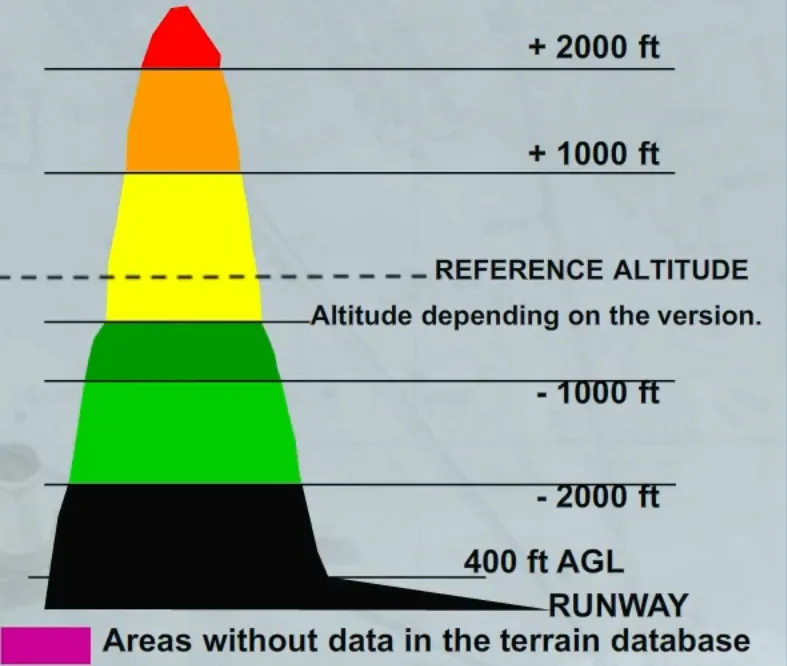
The terrain appears in different colors and densities in accordance with its relative height, as shown.
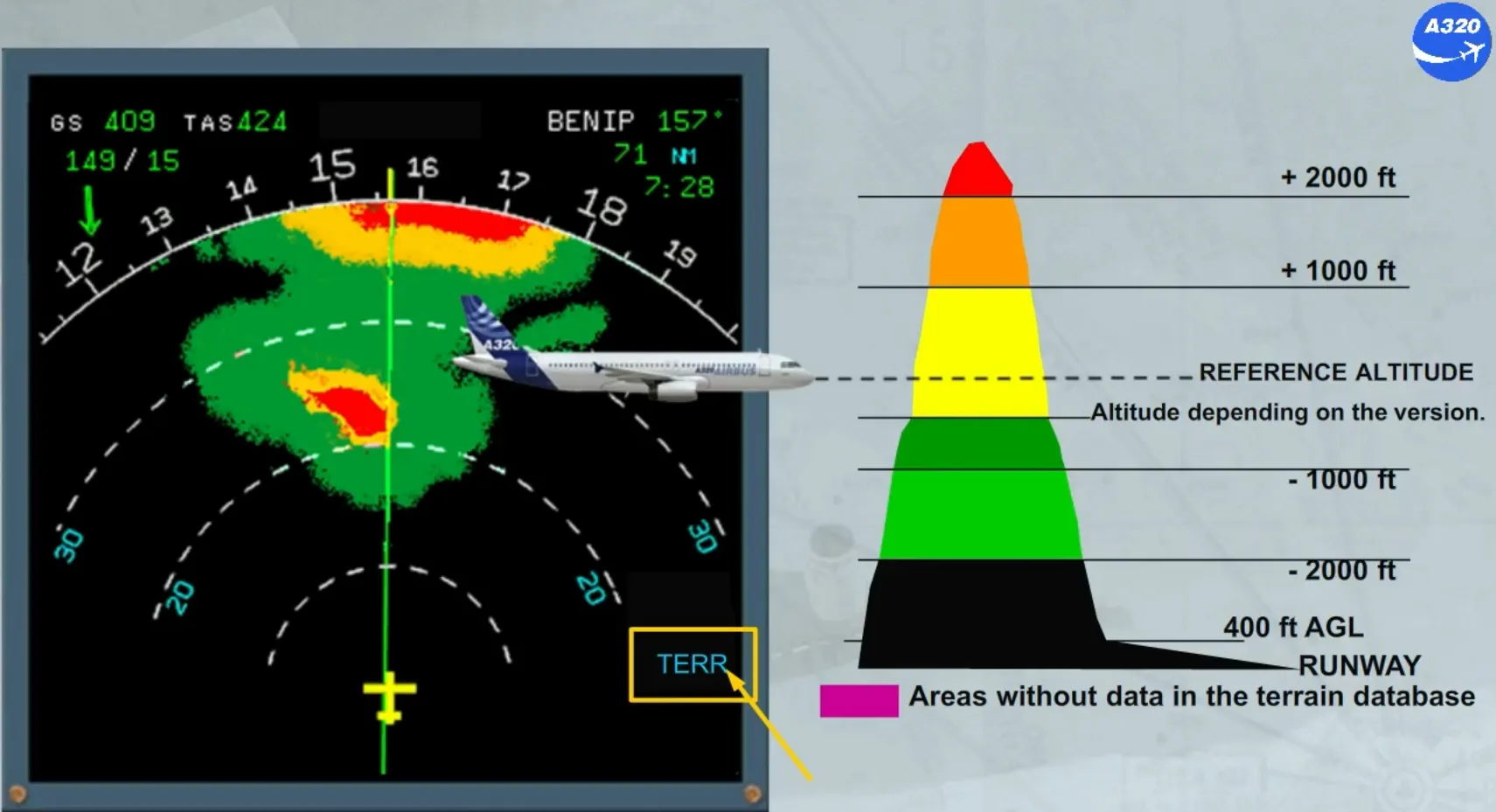
The reference altitude is:
- The current aircraft altitude in climb or in level off
- The projected altitude along the flight path angle in descent.
The altitude which depends on the version:
- For the GPWS associated to the T2CAS terrain database it is down to -600 ft according to V/S and to runway proximity
- For the GPWS associated to its terrain and airport database it is at -250 ft (L/G down) or at -500 ft (L/G up).
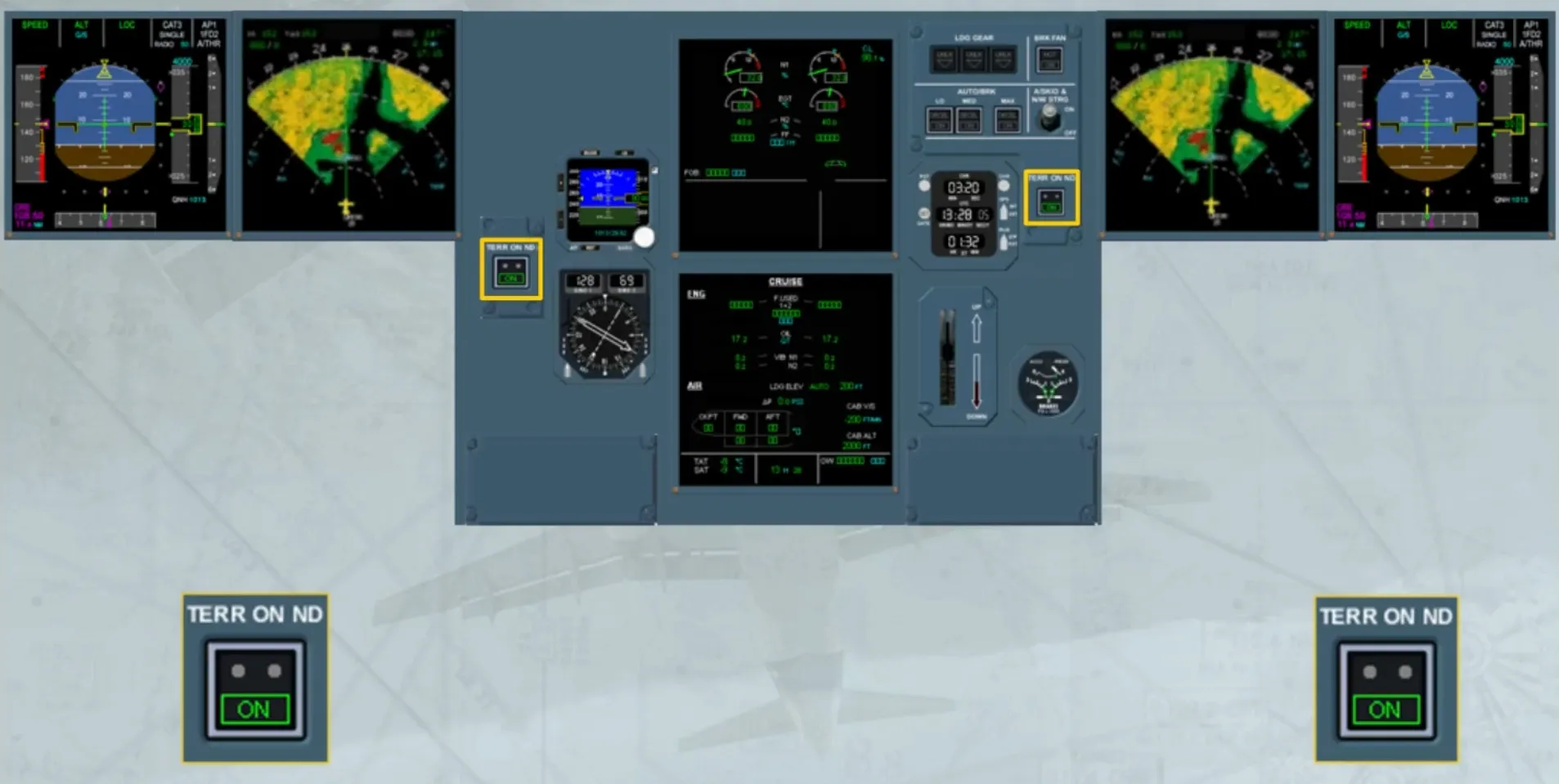
Two TERR ON ND pushbuttons are located as shown. Each pb allows the onside terrain display.
But if the GPWS predictive function is installed and generates a caution or a warning, the terrain picture will be presented on both NDs without pilot action.
Failure of the terrain awareness detection will trigger the FAULT light on the TERR pb-sw and an ECAM caution.
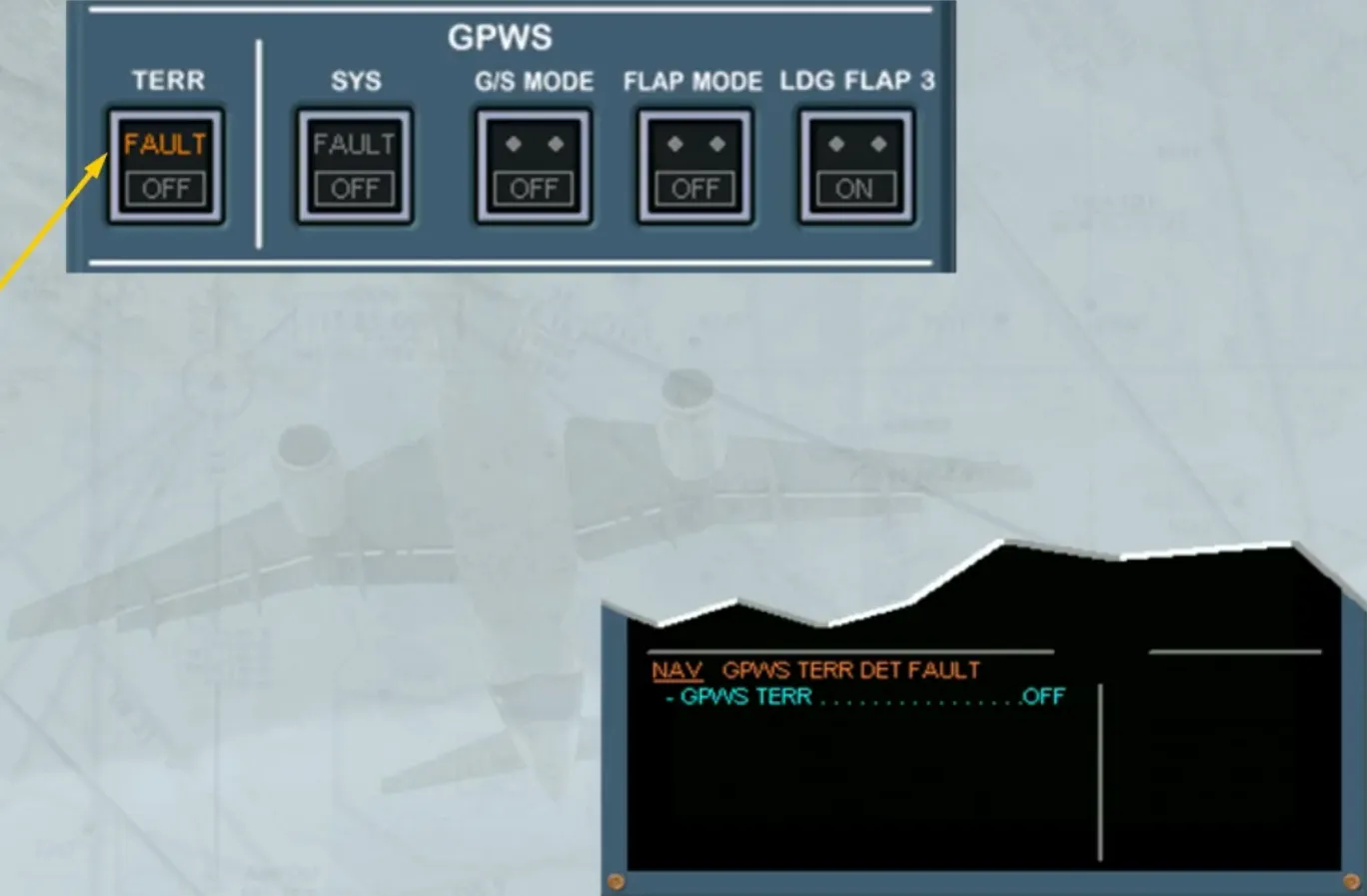
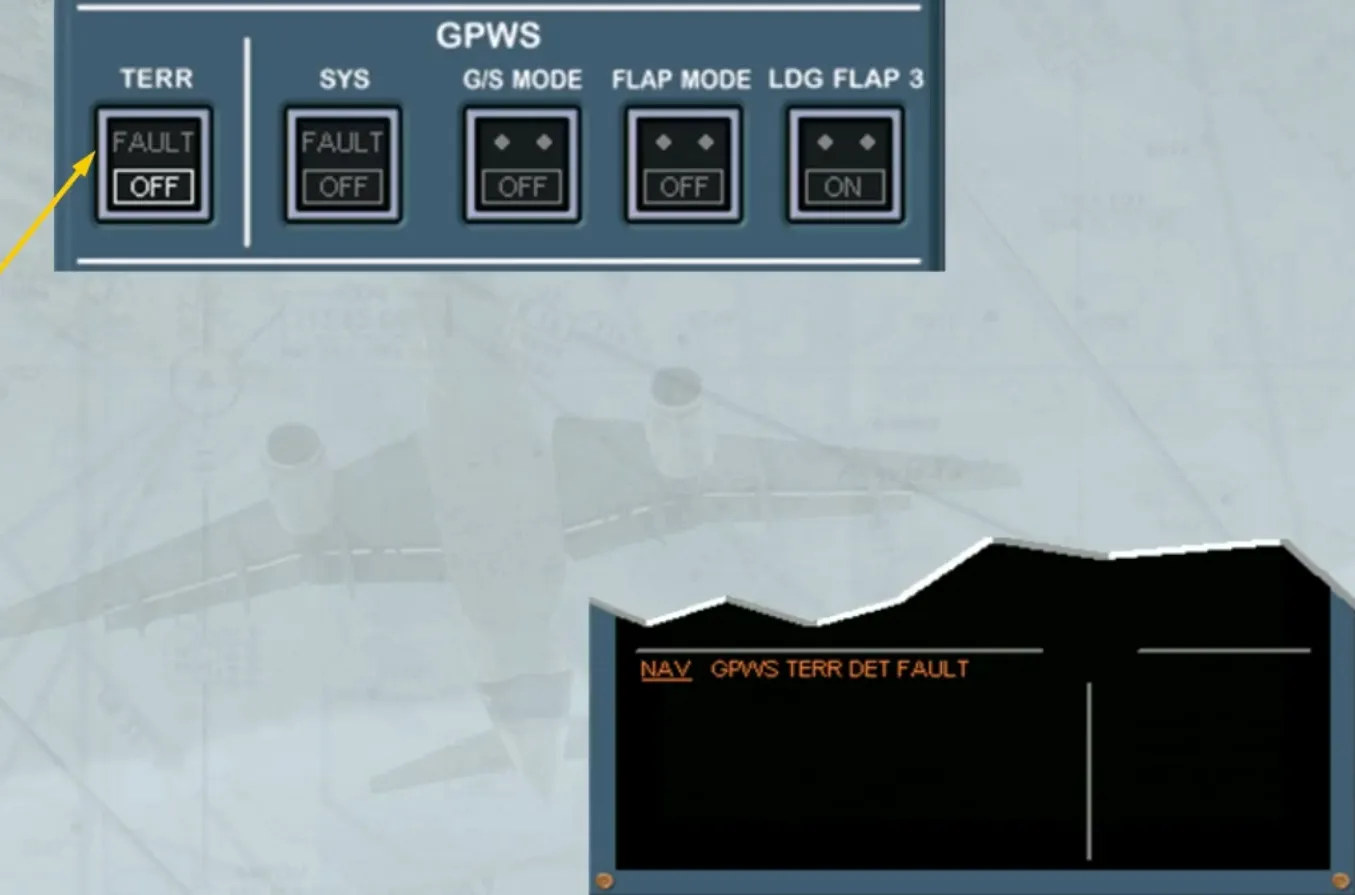
When the TERR pb-sw is set to OFF, terrain detection and prediction function (if installed) are inhibited.
Notice that the basic mode 1 to 5 of the GPWS are still available provided the SYS pb-sw is not lighted.
When the installed GPWS:
- Is equipped with a worldwide terrain database or
- Is associated to the T2CAS terrain database.
It may predict the terrain conflict and improve the low terrain warning during landing.
Note: For GPWS associated to T2CAS, its predictive function, when operative, will inhibit the basic MODE 2.
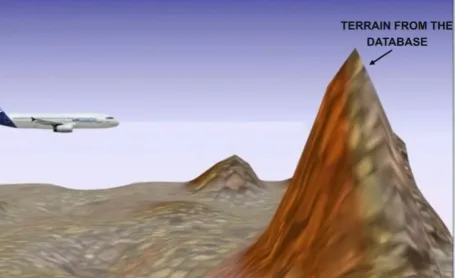
The installed GPWS will generate alerts envelopes.
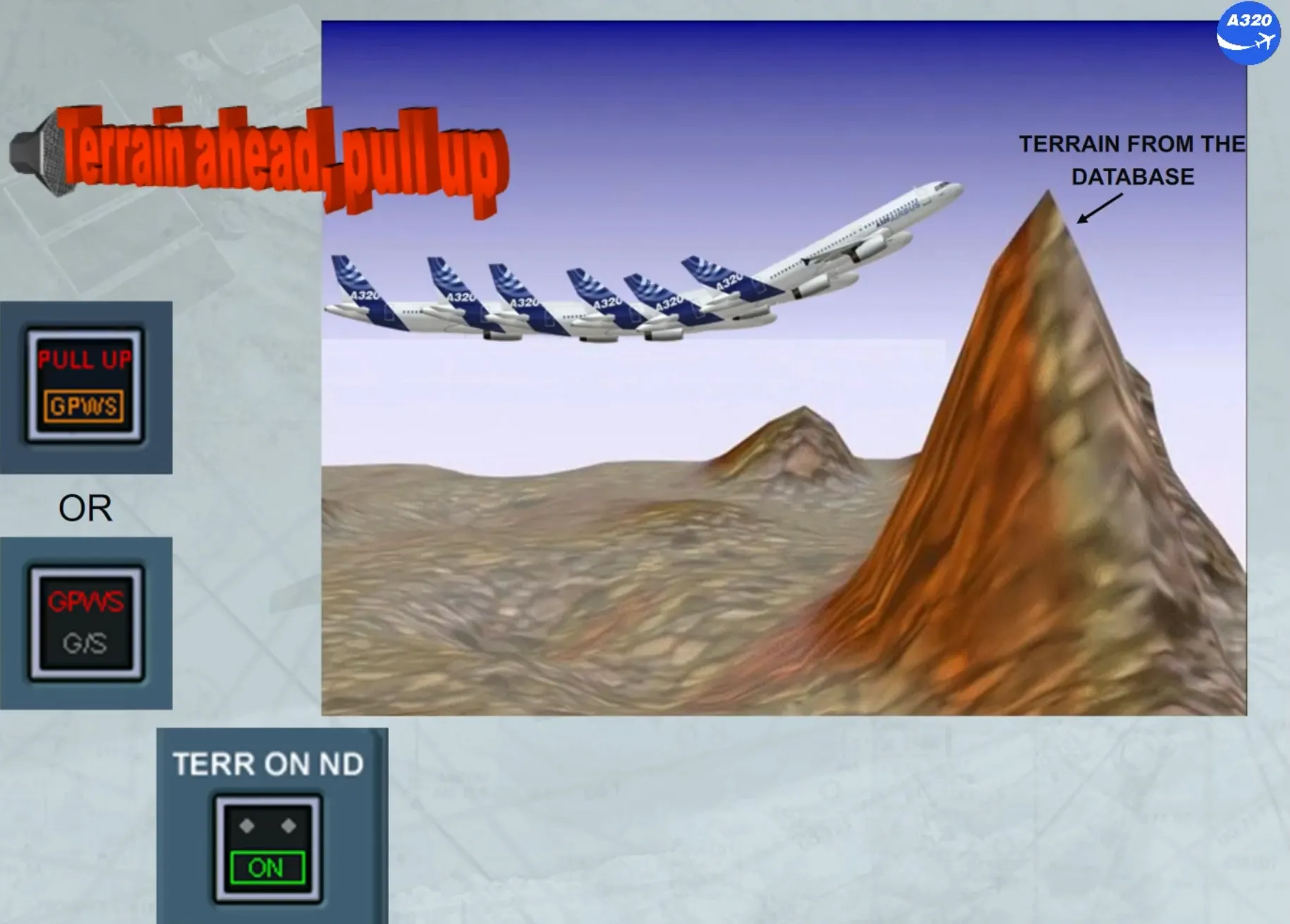
When there is a conflict between the warning envelope or between the caution envelope and the stored terrain data, the GPWS triggers aural and visual alerts and also the terrain picture on the NDs.
Note: The caution and warning distances are in seconds.
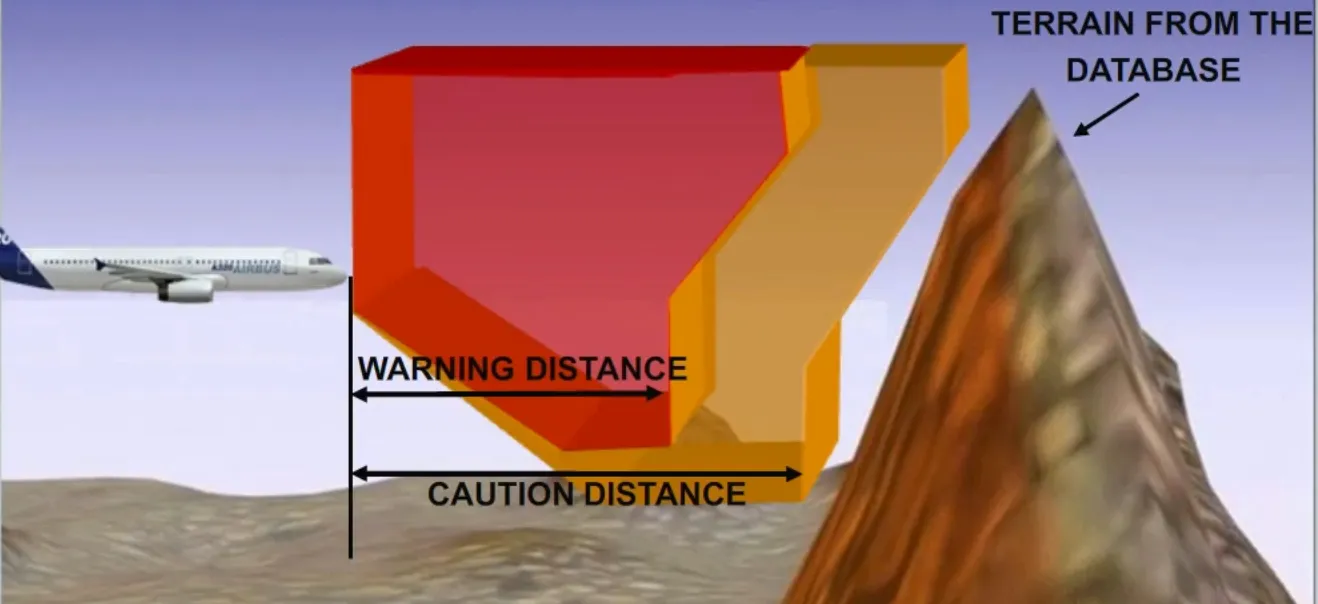
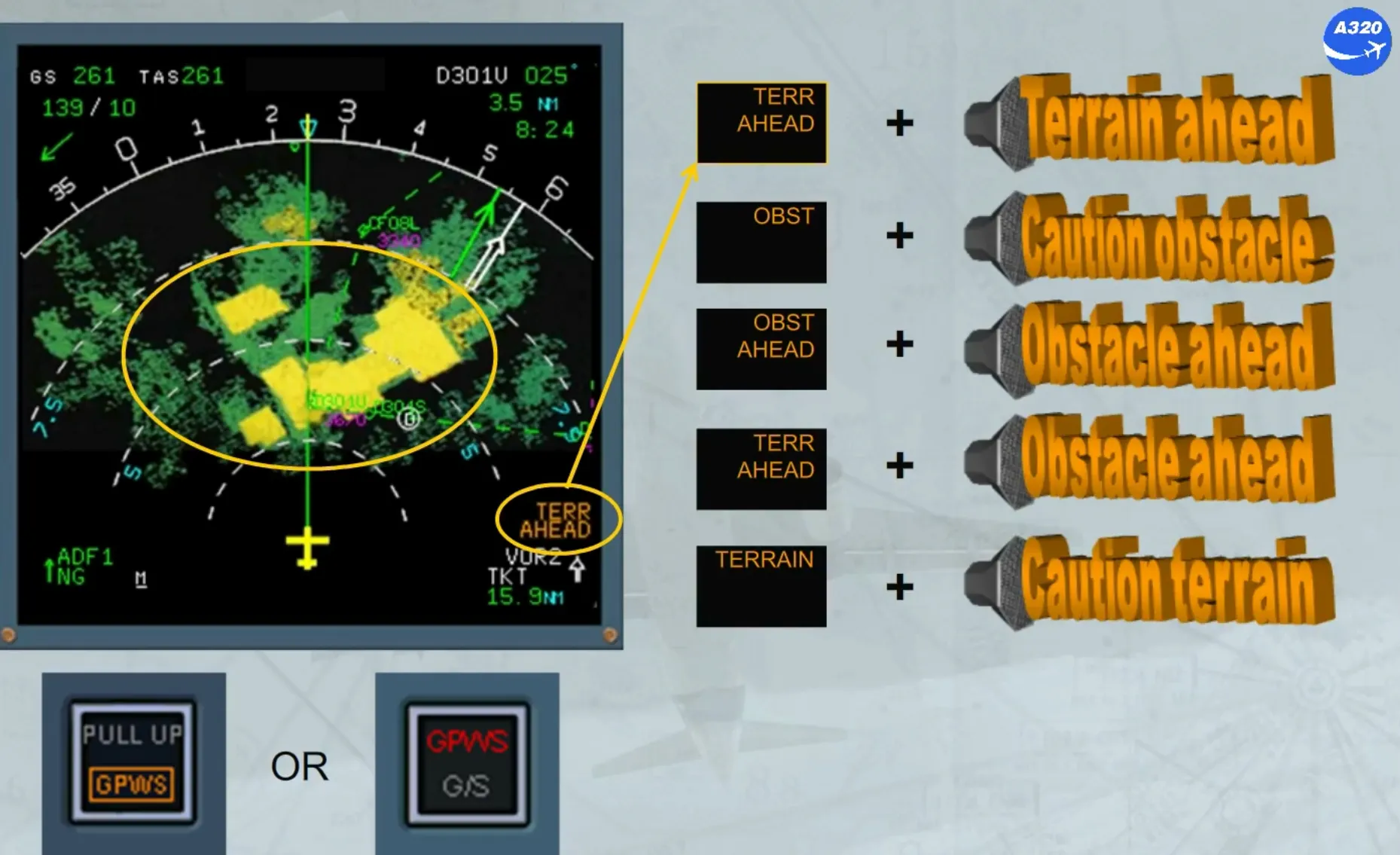
If the caution terrain envelope is penetrated, the areas which violate the caution envelope limits turn to a solid yellow area and an amber message appears on the NDs. A related aural alert is triggered.
The amber message and the related aural alert will depend on the version of the installed GPWS.
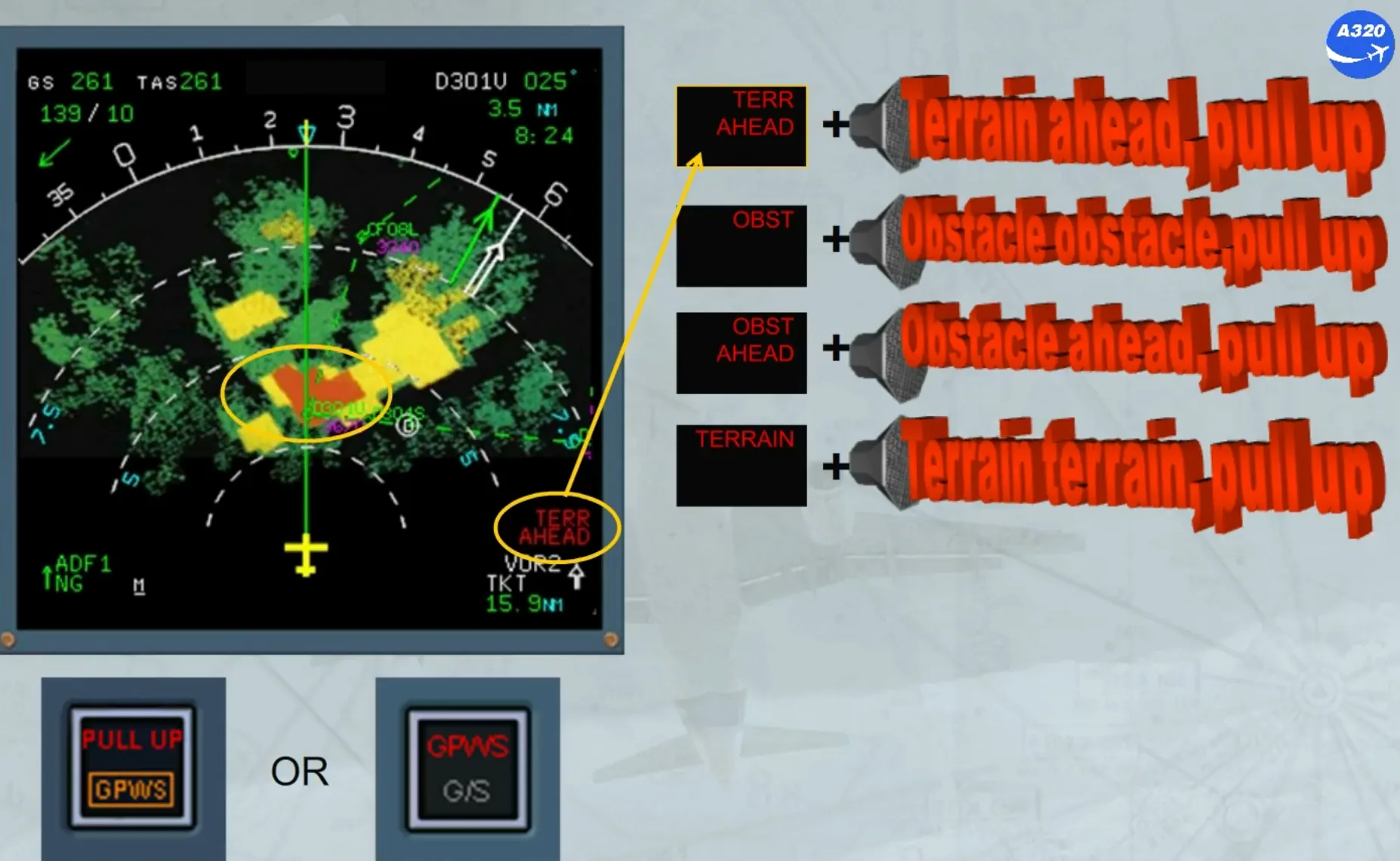
If the warning terrain envelope is penetrated, the areas which violate the warning envelope limits turn to a solid red area and a red message appears on the NDs. A related aural alert is triggered. The red message and the related aural alert will depend on the version of the installed GPWS.
As for the basic GPWS warnings, crews should react immediately without attempting to assess its validity.
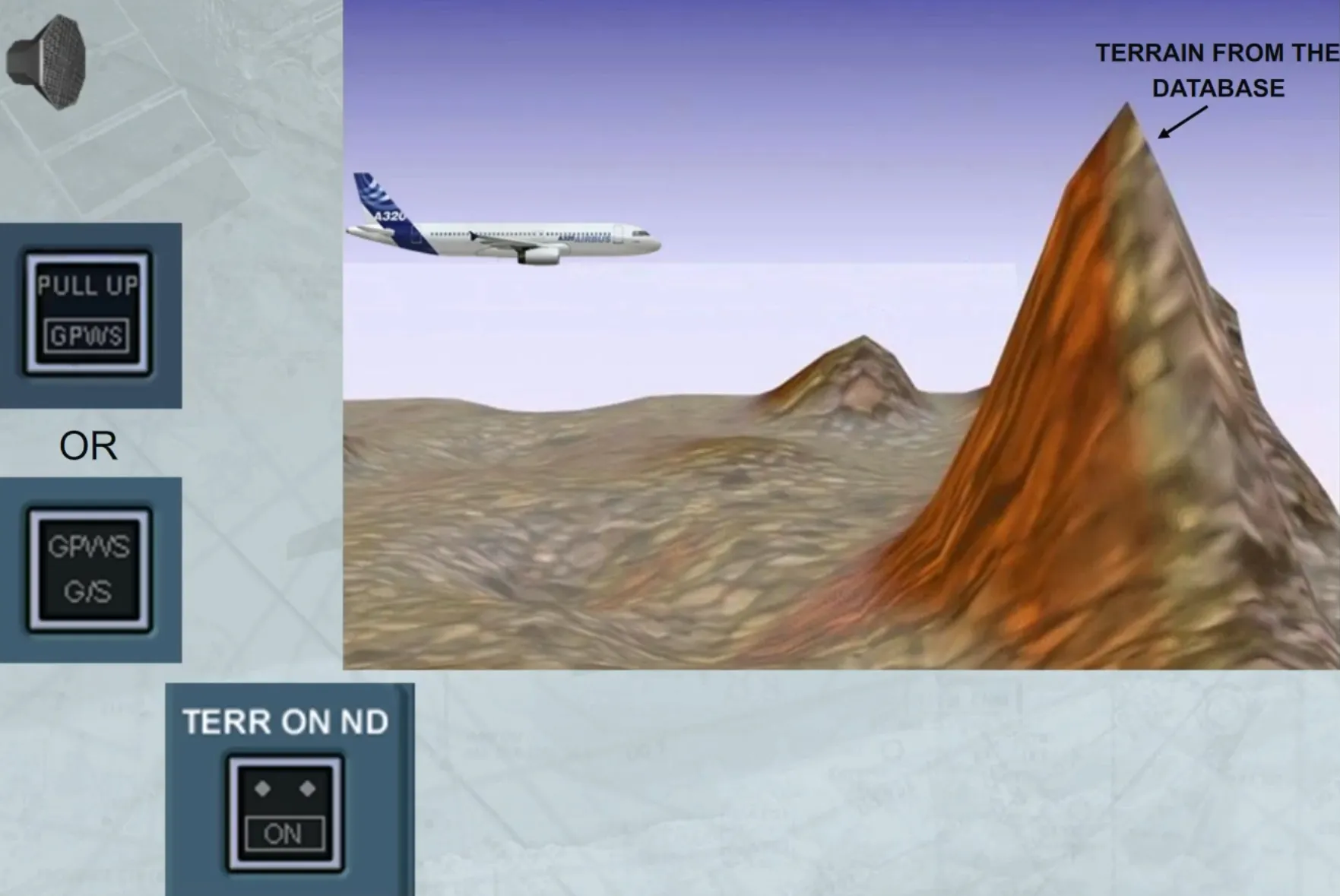
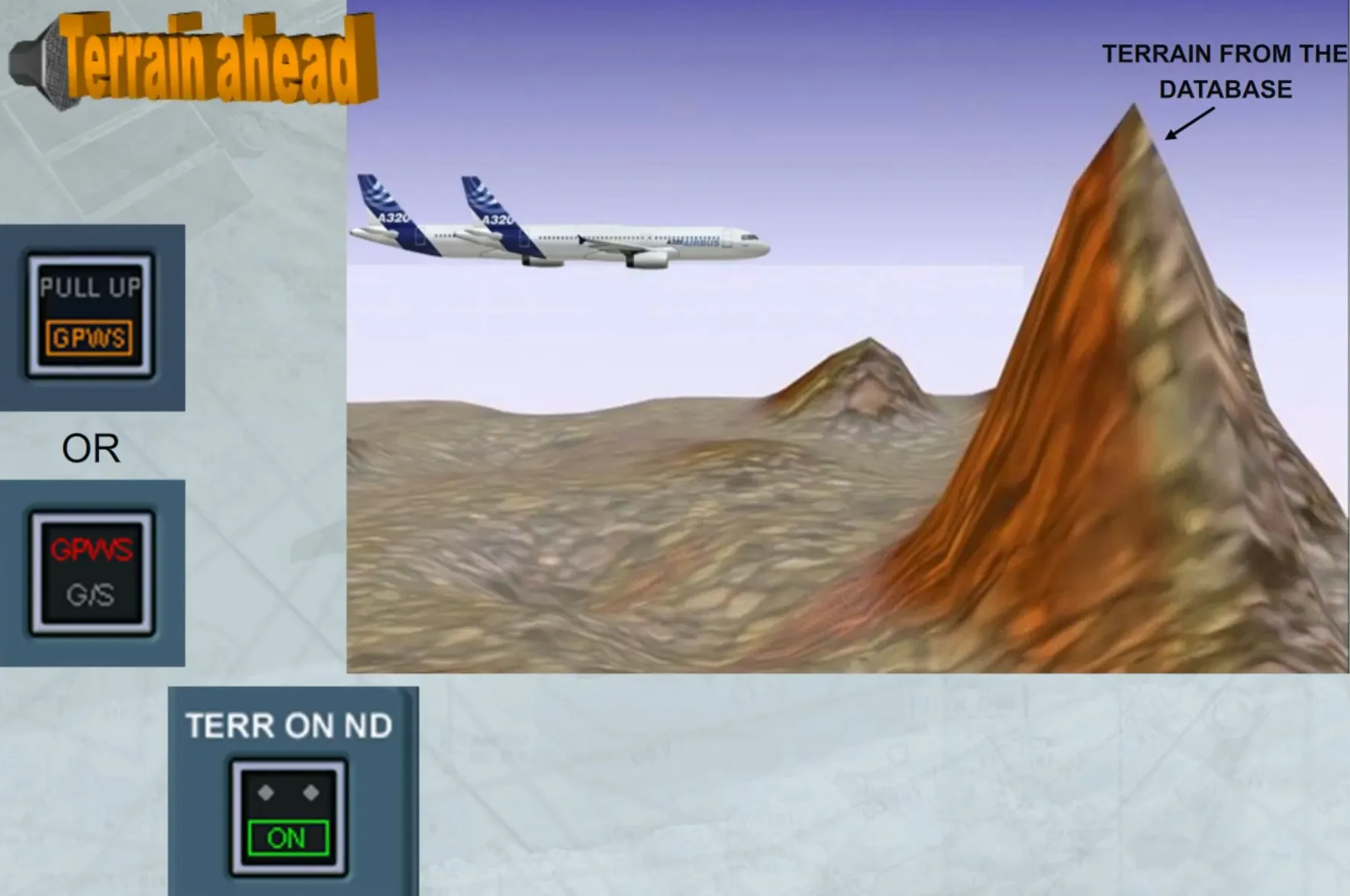
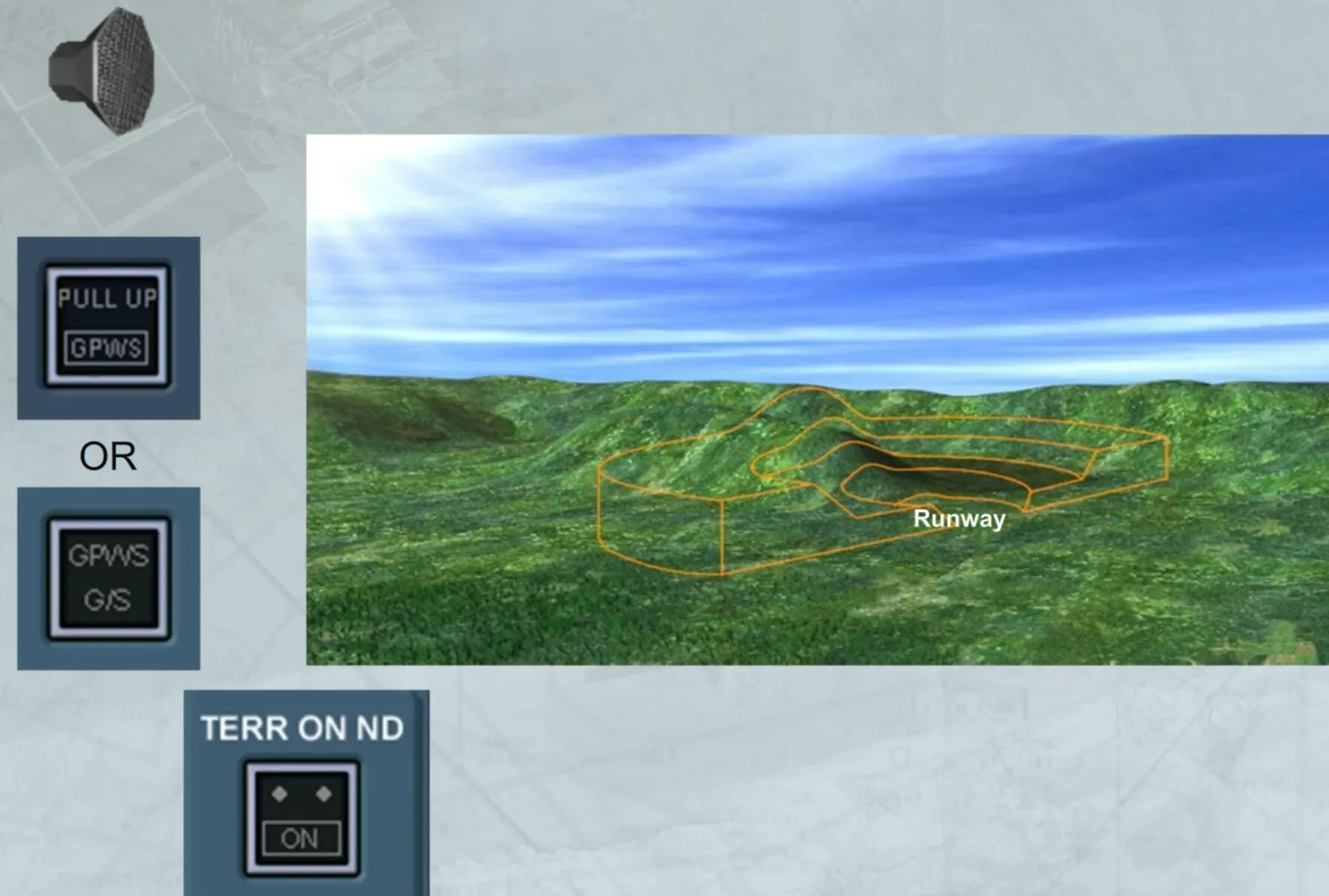
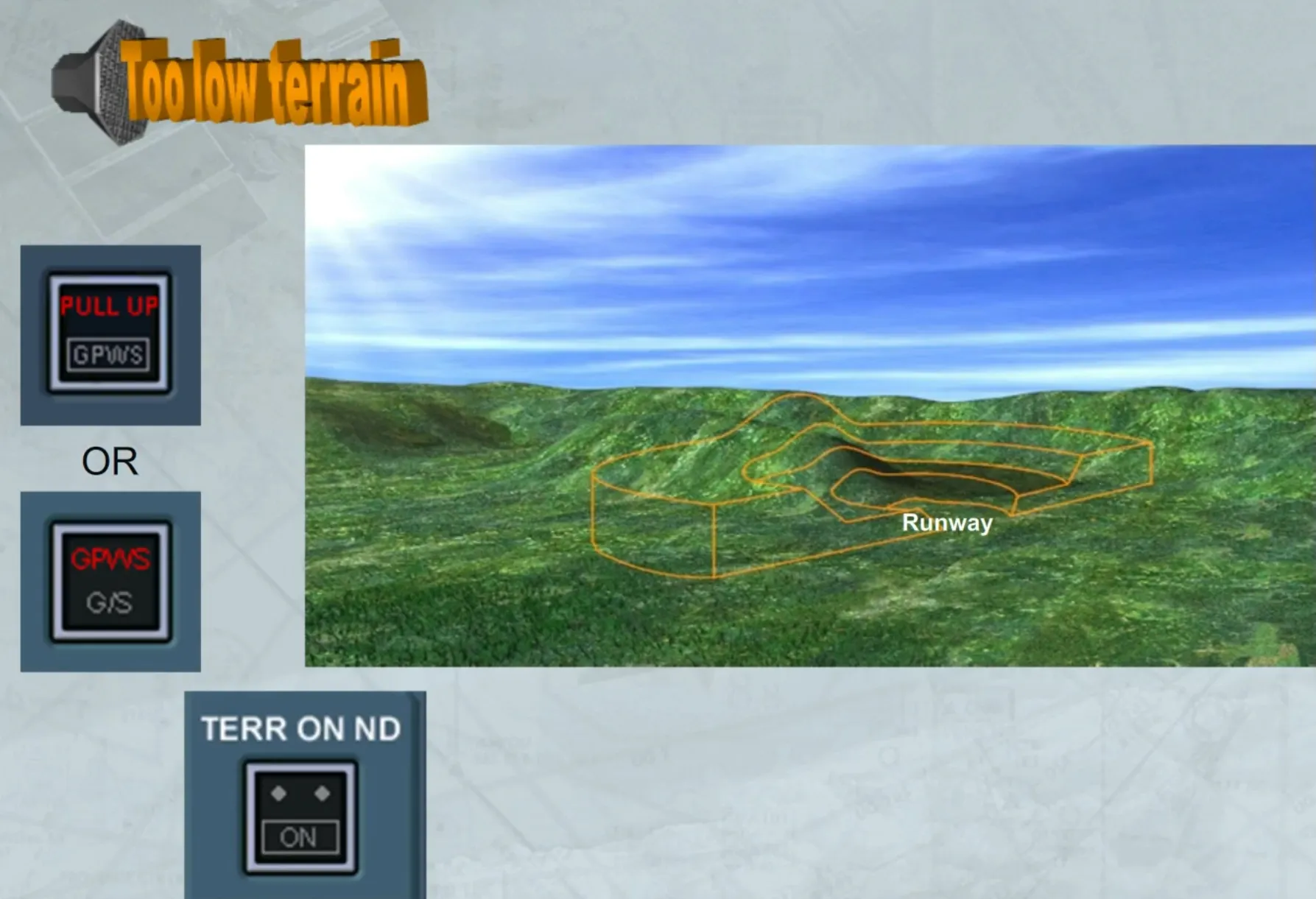
The installed GPWS may provide a terrain clearance floor envelope for each runway stored in the database.
This function warns of a premature descent below this floor regardless of aircraft configuration.
If the aircraft descends below this floor, an aural alert is triggered but the NDs do not switch to terrain mode.
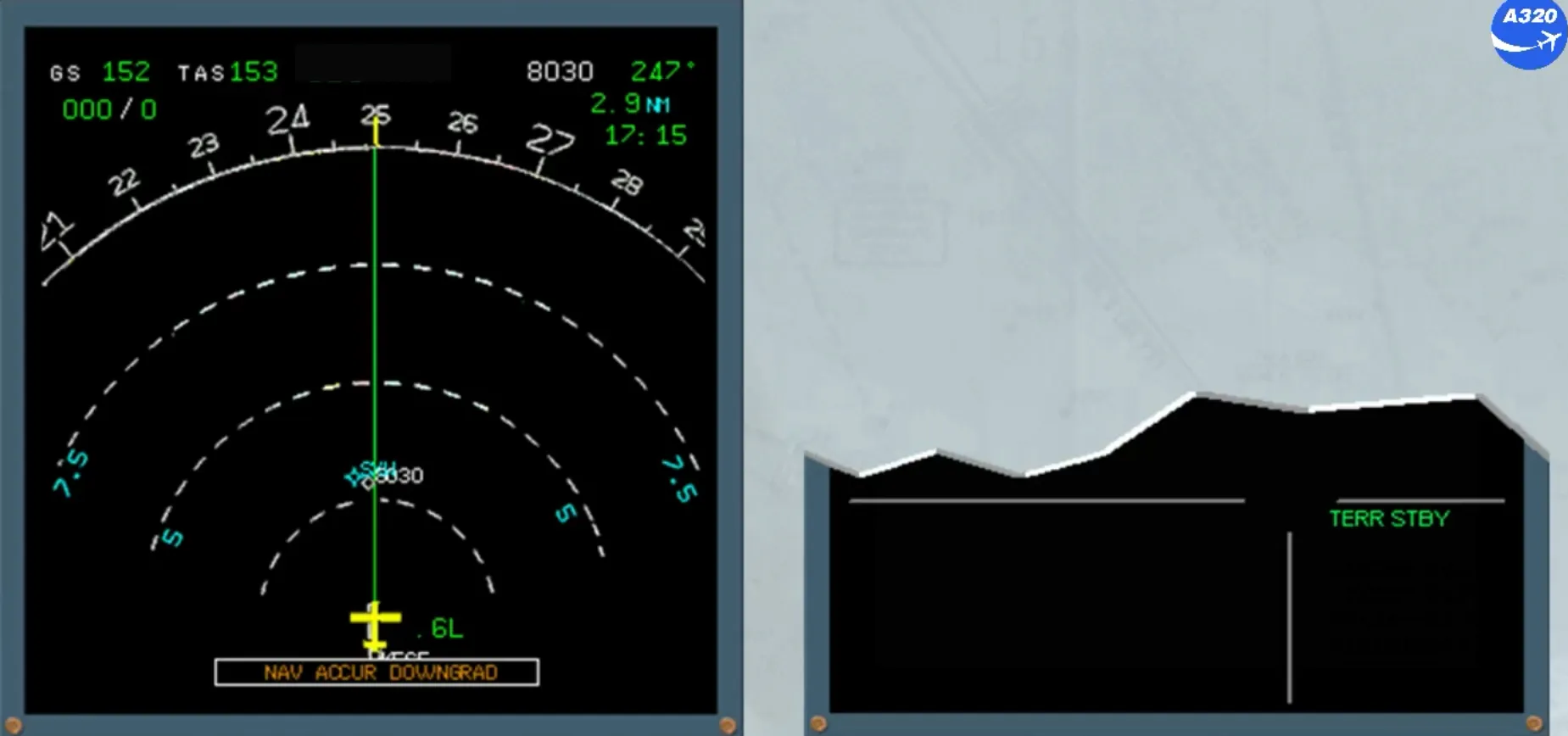
Depending on the GPWS version, when a low accuracy of the computed aircraft position by the FMGS or by the T2CAS, is detected, the terrain awareness and predictive functions are automatically deactivated. A green memo TERR STBY is displayed as a reminder.
Note: The basic GPWS mode 1 to mode 5 remain active.
Module completed